Tag: etsy

  • 10 Pet Themed Etsy Shop Ideas You Can Start Today

    Love pets and want to turn that passion into a side hustle? Etsy, with its 96 million buyers, is the perfect platform to sell unique, pet-themed products in 2025. These 10 Etsy shop ideas require minimal startup costs and leverage your creativity or basic skills. From horse treats to chicken hats to custom pet portraits, here’s how to launch a pet-themed Etsy shop and tap into the thriving pet market today!

    1. Handmade Bird Toys

    Craft colorful, safe bird toys using natural wood, cotton rope, or bells for parrots, budgies, or cockatiels. Source materials from craft stores or Temu, design your toys and list on Etsy. Promote in bird enthusiast groups on Facebook, where pet enrichment is trending. Ensure toys are non-toxic and size-appropriate for different birds. Offer chewable or puzzle-style designs to stand out.

    2. Homemade Horse Treats

    Bake all-natural horse treats with ingredients like oats, molasses, and carrots, perfect for equine owners. Source bulk supplies from grocery stores and list on Etsy. Market in equestrian groups on Facebook, where horse care products are popular. The pet treat market is growing, with homemade options in demand. Package in resealable bags for freshness.

    3. Personalized Dog Collars

    Sew or embroider dog collars with custom names or patterns, using nylon or leather. List on Etsy and promote in dog lover groups on social media, where personalized pet gear shines. Offer adjustable sizes and durable buckles for safety.

    4. Handmade Ceramic Pet Bowls

    Craft ceramic pet bowls with whimsical or minimalist designs for dogs, cats, or small animals. Share in pet owner groups on Pinterest or social media, where pet feeding accessories trend. Add non-slip bases or custom names for appeal.

    5. Upcycled Pet Bed Cushions

    Sew pet bed cushions from upcycled fabrics like old blankets or denim, ideal for eco-conscious pet owners. Source materials from thrift stores. Promote in sustainable pet groups on social media. The pet bedding niche is expanding, with unique designs in demand. Offer washable, durable covers to stand out.

    6. Hand-Knit Pet Sweaters

    Knit cozy sweaters for small dogs or cats using soft yarn, perfect for chilly seasons. Source yarn from craft stores and list on Etsy. Market in pet fashion groups on social media, where pet apparel is a hit. Offer seasonal patterns (e.g., winter-themed) for variety.

    7. Handmade Chicken Hats

    Sew whimsical chicken hats using soft fabrics like cotton or felt, designed to fit comfortably on hens for fun photos or farm flair. Source materials from craft stores or Temu. Promote in backyard chicken groups on Facebook or post reels on TikTok, where quirky poultry accessories are gaining traction. The niche for chicken products is growing among homesteaders. Offer playful designs like cowboy or flower hats to appeal to chicken keepers.

    8. Handmade Pet Bandanas

    Sew pet bandanas with fun patterns, perfect for pet owners seeking cute accessories. Share in pet lover groups on social media to reach devoted owners. Pet accessories are a growing niche, with only 1% of Etsy sellers in this category. Offer seasonal designs (e.g., Halloween) for variety.

    9. Custom Pet Tag Charms

    Create hand-stamped metal pet tag charms with names or contact info for dogs and cats. Use basic stamping tools and list on Etsy. Promote in pet groups on social media, where durable ID tags are valued. Offer custom pet shapes to stand out.

    10. Custom Pet Portraits

    Paint or draw custom pet portraits (e.g., watercolor, pencil sketches) of dogs, cats, or other pets, creating keepsake art for pet owners. Promote in pet lover groups on social media, where personalized pet art is trending. The pet keepsake niche is strong, with 86% of Etsy shoppers seeking unique gifts. Offer various sizes or styles (e.g., realistic, cartoon) to attract buyers. 

    Tips to Launch Your Pet-Themed Etsy Shop

    • Start Small: List 5–10 products to test demand, using affordable supplies or free tools like Canva to keep costs low.
    • Niche Down: Target specific pet owners (e.g., chicken keepers, eco-conscious dog parents) to stand out among Etsy’s 94 million products.
    • Optimize Listings: Use 13 keywords (e.g., “pet gift”) and high-quality photos (phone shots suffice).
    • Promote Free: Leverage Pinterest and social media for traffic; pins drive 50% of sales for many sellers.

    Etsy’s global reach makes it a side hustler’s dream, with 97% of sellers running shops from home and 86% of shoppers seeking gifts, often for pets. Pick one idea, list your first product this weekend, and join Etsy’s pet-loving community. Which shop idea inspires you?

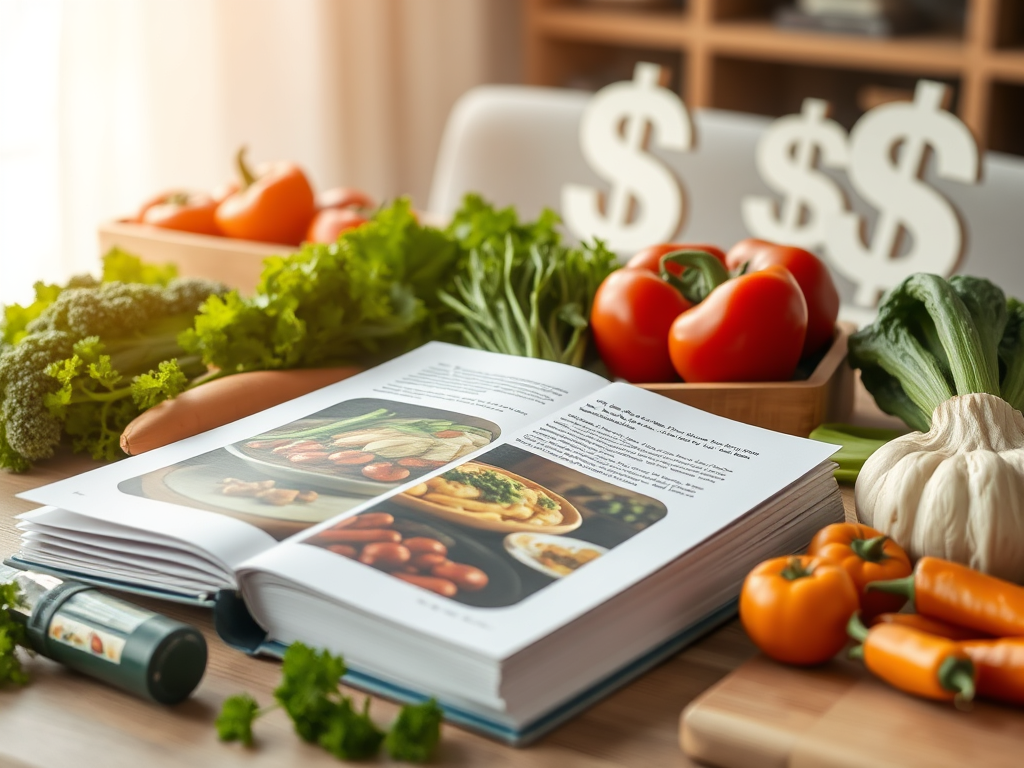
  • 20 Unique Side Hustle Ideas To Make An Extra $1,000+ This Month

    Looking to boost your income without a second job’s grind? In 2025, side hustles and passive income streams are easier than ever, thanks to digital platforms and creative marketplaces. Whether you’re a gamer, homeowner, or foodie, there’s a hustle that fits your skills and schedule. Below, I’ve compiled 20 unique ideas to earn $100–$5,000/month, many requiring just a smartphone or laptop and minimal to zero upfront costs. Here’s your guide to starting today, with tips to succeed.

    1. Create and Sell AI-Generated Music Loops

    Use free AI tools like Soundraw to create royalty-free music loops for gaming, podcasts, or videos. Sell on AudioJungle or Pond5 for $5–$50 per download. Design 5 loops in a weekend using free software, optimize listings with keywords like “2025 game music,” and promote on X or Facebook in creator groups.

    2. Rent Out Your Backyard as a Private Dog Park with Sniffspot

    Turn your fenced backyard into a dog park via Sniffspot, charging $5–$20/hour. Earn $500–$3,000/month from your couch! List for free, add amenities like water bowls, and share in local dog groups on Facebook. A secure fence and clean yard are key.

    3. Monetize Your Gaming Skills with Paid Coaching Sessions

    Coach players in games like Fortnite or Valorant via GamerSensei or Fiverr, charging $20–$50/hour. Set up a free profile, share gameplay clips on TikTok, and pitch in Discord communities. High ranks and clear communication attract clients.

    4. Start a Subscription Box Curator Side Hustle

    Curate monthly boxes of niche products (e.g., vegan snacks) and sell on Cratejoy for $20–$40/box. Source from Faire ($50–$200 startup), list for free, and promote via Pinterest. Automate fulfillment to make it passive.

    5. Sell Virtual Event Backgrounds for Zoom and Teams

    Create digital backgrounds for virtual meetings using Canva for free and sell on Etsy for $5–$15 each. Design professional or festive themes, optimize listings with “2025 Zoom background” keywords, and share in remote work groups on X and Facebook. 

    6. Become a Virtual Event Planner for Small Businesses

    Plan virtual workshops or team-building events via Zoom, charging $200–$1,000/event. Use Calendly (free) for bookings and Eventbrite for promotion. Pitch to small businesses on LinkedIn. Minimal tech skills needed.

    7. Create and Sell NFT Art Collections

    Design simple NFT art with Photopea for free and mint on OpenSea for $10–$500 per piece. Focus on niche communities (e.g., retro gaming) and promote on X or Facebook. Start small to manage gas fees.

    8. Rent Out Unused Household Items on Fat Llama

    List cameras, tools, or camping gear on Fat Llama for $10–$100/day. Sign up for free, upload photos, and share in local DIY groups on Facebook. Fat Llama’s $1 million insurance covers damage.

    9. Launch a Micro-Job Marketplace Profile on Airtasker

    Offer quick tasks like data entry or errands on Airtasker for $15–$50/hour. Create a free profile, bid on local jobs, and promote in community groups on X. Flexibility suits any schedule. 

    10. Sell Guided Audio Meditations

    Record 5–20-minute meditations with Audacity for free and sell on Insight Timer or Gumroad for $5–$20 each. Focus on sleep or mindfulness, promote via Pinterest, and list on Etsy for extra reach. 

    11. Start a Virtual Tour Guide Business

    Create pre-recorded or live virtual tours of local attractions via Zoom, charging $10–$50/ticket. Use Viator or social media for promotion. A smartphone and storytelling skills are enough.

    12. Monetize Your Recipes with a Digital Cookbook Series

    Write 15–30 recipe cookbooks (e.g., vegan meals) in Google Docs (free) and sell on KDP or Etsy for $5–$15 each. Design covers in Canva and promote via Pinterest.

    13. Offer Voiceover Services for Ads and Videos

    Record voiceovers for commercials or YouTube intros with a $20 mic and Audacity (free), charging $50–$200/gig on Fiverr or Voices.com. Share demos on X in creator groups. 

    14. Create and Sell Mobile App Icons

    Design app icon packs with Canva for free and sell on Creative Market for $10–$50/pack. Target developers with minimalist or retro designs and promote in tech groups on X.

    15. Start a Car Advertising Side Hustle with Wrapify

    Wrap your car with ads via Wrapify, earning $150–$450/month for driving your usual routes. Sign up for free, pass a background check, and track miles with the app.

    16. Sell Custom Emoji Packs for Messaging Apps

    Create emoji or sticker packs with GIMP for free and sell on Etsy or Gumroad for $3–$10 each. Focus on pop culture or cute designs and promote via Pinterest.

    17. Launch a Micro-Influencer Content Agency

    Create social media posts for small businesses, charging $50–$200/campaign using Canva and Buffer for free. Pitch to local shops on LinkedIn. Minimal design skills needed.

    18. Rent Out Your Wi-Fi Bandwidth

    Sell unused internet bandwidth via PacketStream for $5–$20/month per device, earning $50–$200/month with multiple devices. Sign up for free, run the app in the background, and stack devices. Ensure unlimited data plans.

    19. Create and Sell Virtual Vision Boards

    Design digital vision board templates in Canva (free) for goal setting, selling on Etsy for $5–$15 each. Target self-improvement niches and promote via Pinterest.

    20. Start a Podcast Editing Side Hustle

    Edit podcasts using Audacity for free, charging $50–$200/episode on Upwork. Pitch to podcasters on X and offer quick turnarounds.

    Tips for Side Hustle Success

    • Start Small: Pick one idea and test it with 1–2 hours/day. Scale after initial wins.
    • Leverage Free Tools: Use Canva, Audacity, or Google Docs to keep costs at $0.
    • Market Smart: Pinterest, Facebook and X drive traffic for digital products; local groups work for physical rentals.
    • Stack Hustles: Combine gigs (e.g., voiceovers + podcast editing) for $1,000+/month.

    Pick one (or ten!), start today, and build your income stream. Which idea sparks your interest? Share in the comments!

    Warning About Get-Rich-Quick Schemes: Beware of apps or programs promising “$1,000/day” that demand upfront payments or subscriptions. Legit platforms like Cratejoy, Fiverr, and Wrapify are free to join and don’t charge for access. Always check reviews on Google Play/App Store and avoid sharing sensitive info with unverified platforms. Stick to trusted apps to protect your time and money.

  • Monetize Your Recipes with a Digital Cookbook Series: A Passive Income Side Hustle for 2025

    Love cooking and want to turn your recipes into cash? In 2025, creating a digital cookbook series is a fantastic side hustle for generating passive income from home. These downloadable PDFs, packed with recipes like vegan desserts or 30-minute meals, sell for $5–$20 on platforms like Amazon KDP or Etsy. There is no limit to the amount of cookbooks you can publish, therefore no limit to the potential profits. No publishing experience needed—just a laptop, your recipes, and free tools. Here’s how to monetize your recipes with a digital cookbook series in 30 days.

    Step 1: Choose a Niche Cookbook Topic

    Pick a recipe theme you love and buyers want:

    • Your Expertise: Master of quick meals? Create a “30-Minute Dinner” cookbook. Vegan guru? Focus on plant-based snacks.
    • Market Trends: Browse Amazon KDP or Etsy for hot niches like gluten-free baking, air fryer recipes, or kid-friendly lunches.
    • Specific Value: Solve a problem (e.g., “Budget-Friendly Family Meals Under $10”).

    Step 2: Write Your Recipes

    Keep it simple and appealing:

    • Length: Aim for 15–30 recipes (20–50 pages). Each recipe needs ingredients, steps, and tips (100–200 words).
    • Structure: Include an intro, recipe list, and sections (e.g., appetizers, mains). Add a shopping list or meal plan as a bonus.
    • Tool: Use Google Docs for free for writing. Keep formatting clean—12pt font, bullet points.

    Step 3: Design Your Cookbook

    Make it visually appealing without costs:

    • Cover: Create a vibrant cover in Canva for free with a catchy title (e.g., “Easy Vegan Snacks”). You can use stock photos from sites like Shutterstock or take your own photos. For more professional looking photos you can find inexpensive light boxes on Amazon. 
    • Interior: Add recipe photos taken with your phone. Include headers and dividers for polish. Export as a PDF.
    • Formatting: For KDP, use Kindle Create for free for e-reader compatibility. For Etsy or Gumroad, a PDF works.

    Step 4: Publish Your Cookbook

    Choose a platform to sell:

    • Amazon KDP: Free to publish, 70% royalties on $2.99–$9.99 ebooks ($2–$7/sale). Reaches millions via Kindle.
    • Etsy: List for 20¢, 6.5% fee. Sell PDFs for $5–$15 to 96 million buyers.
    • Gumroad: 10% fee. Sell for $5–$20 with full control.

    Upload to KDP for reach or Etsy for niche appeal.

    Step 5: Market for Passive Sales

    Drive buyers with low-effort strategies:

    • Platform SEO: Use keywords like “2025 vegan cookbook” or “quick dinner recipes” in titles and descriptions.
    • Pinterest: Create Canva pins (e.g., “Best Gluten-Free Recipes”) linking to your listing. Pins drive 50% of digital sales.
    • Social Media: Share sample recipes in foodie groups on Facebook or X. 

    Step 6: Scale Your Series

    Grow for true passive income:

    • More Cookbooks: Create 3–5 related titles (e.g., “Vegan Breakfast,” “Vegan Dinner”) in year one.
    • Bundles: Sell series packs on Gumroad for $20–$50.
    • Email List: Use Mailchimp for free to share new releases with buyers.

    The self-publishing market is growing 9% annually, with digital cookbooks in high demand.

    Your 30-Day Plan

    • Days 1–3: Pick a niche, outline 20 recipes.
    • Days 4–12: Write and test recipes (5/day).
    • Days 13–17: Design cover and format in Canva.
    • Days 18–22: Upload to KDP and/or Etsy, create listings.
    • Days 23–30: Share pins and posts to drive sales.

    Cookbooks are a tasty way to cook up passive income. What’s your recipe idea?

  • Sell Guided Audio Meditations for Passive Income

    Want to turn your calming voice into cash? In 2025, selling guided audio meditations is a low-effort side hustle that can generate passive income from home. With wellness apps booming, people pay $5–$20 for meditations on mindfulness, sleep, or stress relief. Beginners can earn $100–$500/month with a small catalog, while top creators hit $1,000+/month. All you need is a smartphone, a quiet space, and a few hours. Here’s how to create and sell guided audio meditations for passive income.

    Step 1: Understand Guided Meditations

    Guided meditations are 5–30-minute audio files where a narrator leads listeners through relaxation, visualization, or focus exercises. Platforms like Insight Timer and Gumroad let you sell or monetize them via subscriptions or one-time purchases. You create once, upload, and earn repeatedly with minimal upkeep.

    Step 2: Choose a Meditation Niche

    Pick a topic you’re comfortable narrating and that attracts buyers:

    • Your Strengths: Enjoy mindfulness? Create guided breathing sessions. Good at storytelling? Try visualization for kids.
    • Market Demand: Check Insight Timer or Etsy for trending niches like sleep aids, anxiety relief, or productivity boosts.
    • Quick Wins: Short 5–10-minute meditations (e.g., “Morning Focus”) sell better than long ones.

    Step 3: Record Your Meditations

    You don’t need a studio:

    • Gear: Use a smartphone or $20 USB mic for clear audio. Record in a quiet room (e.g., closet for soundproofing).
    • Script: Write a 5–10-minute script (500–1,000 words) with a calm intro, guided exercise, and gentle close.
    • Software: Record and edit with Audacity for free to remove noise or add soft background music (royalty-free from Pixabay).
    • Quality: Speak slowly, pause often, and keep sessions soothing.

    Step 4: Sell on Platforms

    Choose a platform to monetize:

    • Insight Timer: Free to join, pays $0.01–$0.10 per stream or $5–$20 for premium tracks. Reach 10 million users.
    • Gumroad: Free, 10% fee per sale. Sell MP3s for $5–$20 with full control.
    • Etsy: List for 20¢, 6.5% fee. Sell meditation packs for $5–$15 to 96 million buyers.

    Upload to Insight Timer for streams or Gumroad for direct sales. Setup takes 1–2 hours; approval may take 1–3 days.

    Step 5: Market Your Meditations

    Drive sales with minimal effort:

    • Platform SEO: Use keywords like “2025 sleep meditation” or “anxiety relief audio” in titles and descriptions.
    • Pinterest: Create Canva pins (e.g., “Best Mindfulness Meditation”) linking to your listings. Pins drive 50% of digital sales.
    • Social Media: Share clips in wellness groups on Facebook or X.

    Step 6: Scale for Passive Income

    Grow with small tweaks:

    • More Tracks: Aim for 10–20 meditations in year one (e.g., sleep, focus, gratitude).
    • Bundles: Sell packs (e.g., 5 sleep meditations for $20) on Gumroad or Etsy.
    • Subscriptions: Offer monthly meditation series on Insight Timer for $5–$10/month.

    Your First Move

    Write a 5-minute mindfulness script today, record it with your phone, and upload to Gumroad for $5. Share a pin on Pinterest and post in a wellness group on X. Guided meditations are a calming, creative way to build passive income. What’s your meditation idea?

  • 7 Side Jobs That Can Earn You $1,000 This Week in 2025

    Need to make $1,000 fast? In 2025, the gig economy and online platforms make it possible to earn serious cash in just a week with the right side job. Whether you’re covering an unexpected bill or saving for a goal, these seven side hustles can get you there quickly. Each requires minimal setup, uses skills or tools you likely already have (like a car or laptop), and can realistically hit $1,000 in a week with focused effort. Let’s dive into jobs you can start today!

    1. Food Delivery Driver (DoorDash, Uber Eats)

    Earnings: $15–$25/hour, ~40–70 hours for $1,000.
    Why It Works: Delivery apps like DoorDash and Uber Eats have high demand, especially during lunch and dinner rushes. You can start earning within days.
    How to Start: Sign up with a car, bike (in some cities), driver’s license, and smartphone. Pass a background check (1–3 days) and start delivering. If your home zone has a waitlist, look for a nearby zone that is accepting new applicants. 
    Tip: Work peak hours (5–9 PM)

    2. Freelance Writing

    Earnings: $50–$200/article, 5–20 articles for $1,000.
    Why It Works: Companies need blog posts written by real people, web copy, or social media content, paying $50–$200 per piece for quick turnaround.
    How to Start: Join Upwork or Fiverr (free), create a profile highlighting writing skills, and pitch clients needing urgent content. Use Google Docs for drafts.
    Tip: Target small businesses or bloggers on job boards; offer 500-word posts at $100 each.

    3. Task-Based Gigs (TaskRabbit)

    Earnings: $15–$50/hour, ~20–70 hours for $1,000.
    Why It Works: TaskRabbit connects you with local tasks like furniture assembly, moving, or errands, with flexible hours.
    How to Start: Sign up with a smartphone, pass a background check (1–2 days), and list services you’re comfortable doing.
    Tip: Focus on high-paying tasks like mounting TVs ($50/hour) and work evenings/weekends. 

    4. Online Tutoring

    Earnings: $10–$30/hour, ~35–100 hours for $1,000.
    Why It Works: Platforms like Preply or TutorMe need tutors for subjects like math, English, or test prep, with immediate start potential.
    How to Start: Register on Preply (free), set your rate, and offer sessions via Zoom. No degree required for many platforms.
    Tip: Schedule back-to-back sessions (e.g., 10 hours/day for 4 days) at $25/hour.

    5. Video Editing

    Earnings: $65–$300/project, 4–15 projects for $1,000.
    Why It Works: Businesses and creators need quick video edits for social media or ads, paying well for fast work.
    How to Start: Join Fiverr (free), offer basic editing using free tools like DaVinci Resolve, and pitch YouTubers or small businesses.
    Tip: Charge $100 for short 1–2-minute edits; take 10 gigs in a week.

    6. Event Staffing

    Earnings: $15–$40/hour, ~25–70 hours for $1,000.
    Why It Works: Weekend events (weddings, conferences) need staff for serving, setup, or registration, with high hourly rates.
    How to Start: Sign up with local staffing agencies or apps like Qwick (free). Check event listings on Eventbrite for gigs.
    Tip: Work two 12-hour weekend shifts at $35/hour (e.g., catering).

    7. Flipping Items

    Earnings: $100–$500/item, 2–5 sales for $1,000.
    Why It Works: Buy low, sell high on eBay or Facebook Marketplace using items you find locally or online.
    How to Start: Source free or cheap items from thrift stores, garage sales, or Facebook’s “free” section. List with clear photos.
    Tip: Make your photos look professional to catch people’s’ eye and increase your selling price. Refurbish items to increase their value. A little paint goes a long way.

    How to Hit $1,000 This Week

    • Stack Gigs: Combine apps (e.g., DoorDash + TaskRabbit) for $150–$200/day.
    • Start Today: Most apps approve within 1–3 days; flipping or freelancing can begin instantly.
    • Track Earnings: Use a free app like Notion to log income and optimize your schedule.

    These gigs aren’t get-rich-quick schemes but require effort. I have personally driven for DoorDash for seven years and have made well over $1,000 a week. Pick one or two jobs, start today, and watch the cash roll in. Which gig’s your vibe? Share in the comments, and I’ll drop a tip to maximize your week!

    Warning About Get-Rich-Quick Schemes: Beware of apps or programs promising “$1,000/day” that demand upfront payments or subscriptions. Legit side jobs, like those above, are free to join and don’t charge for access. Research reviews on Google Play/App Store and avoid sharing sensitive info with unverified platforms. Stick to trusted apps to protect your time and money.

  • 30 Legit Apps That Can Earn You Money Today in 2025

    Want to make extra cash from your phone without falling for scams? In 2025, legit money-making apps let you earn through surveys, shopping, freelancing, or even passive tasks like sharing data. From a few bucks a day to $100+ monthly, these apps fit any schedule. I’ve rounded up 30 trustworthy apps you can start using today, based on their reputation, user reviews, and payout reliability. Whether you’re a student, parent, or side hustler, there’s something here for you. Let’s dive in!

    Survey & Opinion Apps

    1. Swagbucks: Earn $1–$5/day via surveys, videos, or shopping. Cash out at $5 via PayPal or gift cards. Tip: Use the browser extension for extra points.
    2. Survey Junkie: Pays $0.50–$5 per 5–15-minute survey. Low $5 cashout via PayPal. Tip: Complete three surveys daily for $40/month.
    3. Branded Surveys: Offers $0.50–$5 per survey, with a $5 cashout. Bonus points via Branded Elite loyalty program. Tip: Answer profile questions to get matched.
    4. InboxDollars: Earn via surveys, games, or emails ($0.50–$5/task). $30 cashout with a $5 signup bonus. Tip: Stack tasks for faster payouts.
    5. OneOpinion: Pays $0.50–$5 per survey, available in multiple countries. Cash out via PayPal or gift cards. Tip: Check daily for new surveys.
    6. Google Opinion Rewards: Earn $0.10–$1 per short survey for Play Store credits. Tip: Turn on location for more offers.
    7. Qmee: Pays $0.10–$1 per survey with no minimum cashout. Tip: Focus on high-value surveys for $20–$30/month.
    8. Pinecone Research: Offers $1–$3 per survey or product test, $3 cashout. Tip: Apply early, as spots are limited.
    9. Lightster: Earn via surveys or user testing ($1–$10/task). Auto-qualify feature matches you to tasks. Tip: Join niche-specific surveys for higher pay.
    10. KashKick: Pays for surveys, videos, or browsing ($0.50–$5/task). $10 cashout via PayPal. Tip: Regular use yields $20–$30/month.

    Cashback & Shopping Apps

    1. Rakuten: Get 1–40% cashback at 3,500+ stores. $5.01 cashout quarterly via PayPal. Tip: Use the browser extension for auto-savings.
    2. Ibotta: Earn $0.50–$5 per grocery receipt scan. $20 cashout via PayPal. Tip: Stack with store loyalty cards for $130/year.
    3. Upside: Offers up to $0.25/gallon or 45% back at gas stations/restaurants. $10 cashout. Tip: Compare gas prices to maximize savings.
    4. Dosh: Auto-cashback (1–10%) at partner stores. $25 cashout via PayPal. Tip: Refer friends for $5 bonuses.
    5. Capital One Shopping: Earn gift card rewards via coupons and cashback. Tip: Install the extension for seamless savings.

    Freelancing & Task Apps

    1. Upwork: Earn $20–$28/hour freelancing (writing, design). Tip: Start with small gigs to build your profile.
    2. Fiverr: Make $5–$995 per gig (e.g., graphic design). 20% fee, 14-day payout wait. Tip: Offer niche services for less competition.
    3. Freelancer.com: Pays ~$20/hour for projects like coding or marketing. Tip: Bid on multiple projects to land gigs.
    4. TaskRabbit: Earn $15–$50/hour for odd jobs (e.g., furniture assembly). Tip: Schedule peak hours for more tasks.
    5. Wonolo: Pays for local gigs (e.g., warehouse work) with same-day pay. Tip: Check daily for high-paying tasks.

    Delivery & Gig Apps

    1. DoorDash: Earn $10–$20/hour delivering food. Tip: Work dinner rushes for bigger tips.
    2. Uber Eats: Make $10–$18/hour delivering meals. Tip: Stack orders in busy cities for efficiency.
    3. Instacart: Pays $12–$25/hour for grocery delivery. Tip: Target weekend shifts for bulk orders.
    4. Rover: Earn $10–$50/hour for pet sitting/walking. Tip: Add photos to your profile for trust.

    Passive Income Apps

    1. Honeygain: Earn $3–$10/month sharing unused internet bandwidth. $20 cashout. Tip: Run on multiple devices.
    2. MobileXpression: Pays $5–$10/month for sharing app usage data. $10 gift card cashout. Tip: Keep it running for steady rewards.
    3. Caden: Earns ~$10/month passively for anonymized data sharing (iOS-only). Tip: Ensure unlimited data plans.

    Gaming & Rewards Apps

    1. Bingo Cash: Win $10–$50 in bingo tournaments (entry fees apply). Tip: Practice free games first.
    2. Solitaire Cash: Earn $10–$70 in solitaire tournaments. Tip: Focus on high-prize games if skilled.
    3. Cash Giraffe: Pays gift cards for playing mobile games. Tip: Run games in the background for passive points.

    Tips to Maximize Earnings

    • Stack Apps: Use multiple apps (e.g., Swagbucks + Ibotta) to double-dip on rewards.
    • Avoid Scams: Skip apps asking for upfront fees or promising “$500/day.” Check reviews on Google Play/App Store.
    • Track Earnings: Use a free app like Notion to log income and optimize your time.

    Your First Move

    Download one app today—like Swagbucks for surveys or Ibotta for shopping—and complete a task (e.g., a $1 survey or receipt scan). These apps won’t make you rich, but they’re legit ways to earn extra cash fast. Which app will you try? Share in the comments, and I’ll suggest a tip to boost your start!

    Warning About Get-Rich-Quick Schemes: Be cautious of apps or programs promising huge earnings (e.g., “$1,000/day”) that require upfront payments or subscriptions. Legit apps like those listed here are free to join and don’t charge for access to opportunities. Always research reviews and avoid sharing sensitive info with unverified platforms. Stick to trusted apps to keep your time and money safe.

  • Passive Income with Printables: 10 Ideas to Sell from Your Couch in 2025

    Want to create once and earn money repeatedly from home? Selling printables—digital downloads like planners, worksheets, or wall art—is a top side hustle in 2025, perfect for passive income. These products sell on platforms like Etsy, with no inventory or shipping needed. No design skills required—just a laptop and free tools. Here are 10 printable ideas to sell from your couch, plus how to start.

    Why Printables?

    Printables are quick to make and sell 24/7 via platform searches.

    10 Printable Ideas

    1. Budget Planners: Monthly trackers for bills or savings goals.
    2. Meal Prep Guides: Weekly menus with grocery lists.
    3. Fitness Trackers: Logs for workouts or water intake.
    4. Student Study Guides: Flashcard templates or exam planners.
    5. Wedding Checklists: Timelines for brides or planners.
    6. Kids’ Activity Sheets: Mazes or learning games for ages 4–8.
    7. Home Organization Charts: Cleaning schedules or pantry labels.
    8. Career Templates: Resume or cover letter designs.
    9. Wall Art Quotes: Motivational prints for offices or homes.
    10. Journal Prompts: Self-care or gratitude question sets.

    Step 1: Design Your Printable

    Use free tools for pro results:

    • Canva (Free): Start with templates for planners or art. Add clear fonts and stock images from Unsplash.
    • Format: Create 8.5×11” PDFs for printing or digital use (e.g., GoodNotes). Include 5–10 pages (e.g., weekly tracker, monthly overview).
    • Quality: Keep designs clean—avoid clutter. Test on your phone or printer.

    Step 2: Choose a Platform

    Sell where buyers shop:

    • Etsy: List for 20¢, 6.5% fee. Reaches 96 million buyers, great for planners or art ($3–$15).
    • Teachers Pay Teachers (TpT): Free to join, 45% fee (20% for $59.95/year premium). Ideal for educational printables ($3–$10).
    • Gumroad: Free, 10% fee. Sell for $5–$20 with full control.

    Step 3: List and Optimize

    Make your printable discoverable:

    • Titles & Tags: Use keywords like “2025 Budget Planner Printable” or “Kids Activity Sheets” (13 tags on Etsy).
    • Mockups: Show the printable in use via Canva or Placeit (free trials) mockups (e.g., planner on a tablet).
    • Descriptions: Highlight benefits (e.g., “Simplify your week with this no-prep tracker”).

    Step 4: Market for Passive Sales

    Drive buyers without daily work:

    • Pinterest: Create Canva pins (e.g., “Best Meal Prep Printable”) linking to your listing. Pins drive 50% of digital sales.
    • Social Media: Share in niche groups on Facebook or X (e.g., parenting or teacher communities).
    • Etsy Ads: Start at $1/day once earning to boost visibility.

    Step 5: Scale Your Income

    Grow for true passive income:

    • More Printables: Aim for 10–20 designs in year one (e.g., planners, trackers, art).
    • Bundles: Sell sets (e.g., budget + fitness trackers for $20) for higher revenue.
    • Email List: Use Mailchimp (free) to share new releases with buyers.

    Your First Move

    Design one printable—like a budget tracker—this weekend. List it on Etsy for $5, share a pin on Pinterest, and watch for sales. Printables are a create-once, earn-forever hustle. What’s your printable idea? Share in the comments, and I’ll suggest a platform to maximize it!

  • Selling Digital Assets: Passive Income from Fonts, Presets, and More in 2025

    Want to create something once and earn money repeatedly? Selling digital assets—think fonts, Lightroom presets, or social media templates—is a hot side hustle in 2025, perfect for building passive income from home. These products are in demand by designers, bloggers, and businesses, selling on platforms like Creative Market. No design degree needed—just a laptop and free tools. Here’s how to start renting out digital assets for passive income.

    Step 1: Understand Digital Assets

    Digital assets are downloadable files that creatives use, like custom fonts for branding, photo presets for editing, or templates for Instagram posts. You create them once, upload them, and earn per sale with no inventory or shipping. The digital product market is growing, projected to hit $74 billion by 2028, making now a great time to start.

    Step 2: Choose a Profitable Asset Type

    Pick an asset you can create and that sells:

    • Your Skills: Good at organizing? Design Canva templates for planners. Into photography? Create Lightroom presets for vibrant edits.
    • Market Demand: Browse Creative Market or Etsy for trending assets like handwritten fonts, vintage presets, or resume templates.
    • Low Effort: Start with simple assets (e.g., a 10-preset pack) to test the waters.

    Step 3: Create Your Digital Assets

    Use free tools to keep costs at zero:

    • Fonts: Design with FontStruct (free) for unique typography (e.g., a bold sans-serif for logos).
    • Presets: Use Lightroom’s free mobile app to create photo filters (e.g., moody tones for landscapes).
    • Templates: Make social media or resume templates in Canva (free) with clean layouts and stock images from Unsplash.
    • Quality: Test assets yourself—ensure fonts are legible, presets are versatile, or templates are editable.

    Step 4: Set Up Your Shop

    Top platforms are free or low-cost:

    • Creative Market: Free to join, 60% royalties ($3–$30/sale). Ideal for design-focused assets like fonts or presets.
    • Etsy: List for 20¢, 6.5% fee per sale. Great for templates or niche assets ($5–$20).
    • Gumroad: Free, 10% fee. Sell for $5–$50 with full control.

    Step 5: List and Optimize

    Make your assets stand out:

    • Titles & Tags: Use keywords like “2025 Instagram Story Template” or “Vintage Lightroom Preset” (up to 13 tags on Etsy).
    • Mockups: Show assets in use with Canva or Placeit (free trials) mockups (e.g., a font on a poster).
    • Descriptions: Highlight benefits (e.g., “Easy-to-use resume template for job seekers”).

    Step 6: Market for Passive Sales

    Drive buyers without daily work:

    • Pinterest: Create Canva pins (e.g., “Best Resume Templates 2025”) linking to your listings. Pins drive 50% of digital sales.
    • Social Media: Share in niche groups on Facebook or X (e.g., design or blogging communities).
    • Platform Ads: Use Etsy Ads ($1/day) or Creative Market’s featured spots once earning.

    Step 7: Scale Your Income

    Grow for true passive income:

    • More Assets: Aim for 20–50 assets in year one (e.g., fonts, presets, templates).
    • Bundles: Sell sets (e.g., 10 presets for $20) for higher revenue.
    • Email List: Use Mailchimp (free) to share new releases with buyers.

    Your First Move

    Create one asset—like a Canva resume template—this weekend. Digital assets are a create-once, earn-forever win. What’s your asset idea? Share in the comments, and I’ll suggest a platform to maximize it!

  • How to Create an Ebook for Passive Income in 30 Days in 2025

    Want to write once and earn for years? Creating an ebook is a top side hustle in 2025, letting you share your knowledge and build passive income from home. From fitness guides to budgeting tips, ebooks sell for $2–$20 on platforms like Amazon, with no inventory needed. No publishing degree required. Here’s how to create an ebook for passive income, step by step.

    Step 1: Choose a Topic with Demand

    Pick a subject you know and buyers want:

    • Your Expertise: Good at fitness? Write a “30-Day Home Workout Plan.” Skilled at budgeting? Create a “Debt-Free Blueprint.”
    • Market Trends: Browse Amazon’s Kindle Store or Gumroad for hot genres like self-help, productivity, or parenting.
    • Quick Value: Solve one problem (e.g., “Organize Your Week in 5 Steps”).

    Step 2: Write Your Ebook

    Keep it concise and actionable:

    • Length: Aim for 5,000–15,000 words (20–50 pages). Short, focused ebooks sell best.
    • Structure: Include an intro, 5–10 chapters, and a conclusion. Add extras like checklists or templates (e.g., a weekly budget sheet).
    • Tool: Use Google Docs (free) for writing. Stick to 12pt font, 1.5 spacing for readability.

    Step 3: Design and Format

    Make your ebook look professional without spending:

    • Cover: Design a bold cover in Canva (free) with a clear title (e.g., “Fitness for Busy Moms”) and vibrant stock images (free from Unsplash).
    • Interior: Add headers, bullet points, and simple graphics from Canva. Export as a PDF in Google Docs.
    • Formatting: For Amazon KDP, use Kindle Create (free) to optimize for e-readers. For Gumroad, a PDF works fine.

    Step 4: Publish Your Ebook

    Choose a platform to sell:

    • Amazon KDP: Free to publish, 70% royalties on $2.99–$9.99 ebooks (e.g., $2–$7/sale). Reaches millions via Kindle.
    • Gumroad: Free, 10% fee per sale. Sell PDFs for $5–$20 to niche audiences.
    • Etsy: List for 20¢, 6.5% transaction fee. Ideal for planners or creative guides.

    Step 5: Market for Passive Sales

    Drive buyers without constant effort:

    • Platform SEO: Use keywords in your KDP title (e.g., “2025 Fitness Ebook”) and description. On Etsy, add tags like “budget planner.”
    • Pinterest: Create Canva pins (e.g., “Best Meal Prep Guide”) linking to your listing. Pins drive 50% of digital product sales.
    • Social Media: Share in niche groups on Facebook or X (e.g., fitness or finance communities).

    Step 6: Scale Your Income

    Grow for true passive income:

    • More Ebooks: Write 2–5 related titles (e.g., “Advanced Workouts” after “Beginner Fitness”).
    • Bundles: Sell multiple ebooks together on Gumroad for $20–$50.
    • Email List: Use Mailchimp (free) to share new releases with buyers.

    Your 30-Day Plan

    • Days 1–3: Pick a topic, outline 10 chapters.
    • Days 4–15: Write and edit your ebook (1,000 words/day).
    • Days 16–20: Design cover and format.
    • Days 21–25: Upload to KDP or Gumroad, create listings.
    • Days 26–30: Share pins and posts to drive sales.

    Ebooks are a write-once, earn-forever hustle. What’s your ebook idea? Share in the comments, and I’ll suggest a platform to maximize it!

  • Create and Sell Digital Planners: Your Path to Passive Income in 2025

    Want to earn money from home without constant hustle? Selling digital planners is a hot side gig in 2025, letting you design once and sell forever. These downloadable PDFs—think budget trackers, fitness logs, or student schedules—are in high demand on platforms like Etsy, with no inventory or shipping hassles. Here’s how to create and sell digital planners for passive income, using free tools and a few hours a week.

    Step 1: Understand Digital Planners

    Digital planners are PDFs used on apps like GoodNotes or Notability, often for tablets, though printable versions sell too. Buyers love them for organizing life—work, school, or hobbies. You’ll design pages (e.g., daily schedules, goal trackers) and sell them as instant downloads. No design degree needed—just creativity and a laptop.

    Step 2: Pick a Profitable Niche

    Focus on a specific audience to stand out. Ideas include:

    • Your Passion: Love animals? Create a pet care planner!
    • Trending Needs: Check Etsy or Pinterest for hot niches like “wedding planning,” “teacher lesson plans,” or “mental health journals.”
    • Evergreen Markets: Budget planners, fitness trackers, and student schedules sell year-
    • round.

    Step 3: Design Your Planner

    Use free tools to create professional planners:

    • Canva (Free): Start with templates for daily/weekly layouts. Add tabs, hyperlinks (for digital use), and cute graphics (e.g., free clip art from Pixabay).
    • Structure: Include a cover, calendar, and 5–10 page types (e.g., to-do lists, habit trackers). Keep fonts clear and colors cohesive.
    • Formats: Offer GoodNotes-ready PDFs and printable versions to widen your market.

    Spend a weekend designing one 20–30-page planner. Test it on your phone to ensure it’s user-friendly.

    Step 4: Set Up Your Shop

    Etsy’s 96 million buyers make it ideal for digital planners (20¢/listing, 6.5% transaction fee). Alternatives include Gumroad (free, 10% fee) or Teachers Pay Teachers for educational planners. Tips:

    • Store Name: Choose something catchy, like “PlanWithJoy” or your name.
    • Profile: Write a short bio (e.g., “Helping busy moms stay organized”) and add a Canva logo.
    • First Listing: Price at $5–$15 (e.g., $10 for a 25-page planner yields $8 after fees).

    Setup takes an hour—do it tonight to start selling.

    Step 5: List and Optimize

    Each planner needs a strong listing to attract buyers:

    • Title: Use keywords like “2025 Digital Budget Planner” for Etsy searches.
    • Description: Highlight features (e.g., “Hyperlinked daily pages for easy navigation”).
    • Mockups: Create visuals with Canva or Placeit (free trials) showing the planner on a tablet.
    • Freebie: Offer a one-page sample to build trust and drive sales.

    Step 6: Promote for Free

    Drive traffic without spending a dime:

    • Pinterest: Create pins with Canva (e.g., “Best Fitness Planner 2025”) linking to your Etsy listing. Pins can drive 50% of sales.
    • Social Media: Share in Facebook groups or on X (e.g., teacher or budgeting communities).
    • Etsy Ads: Start at $1/day once you’re earning to boost visibility.

    Spend 20 minutes daily pinning or posting. A fitness planner seller hit 500 monthly sales with Pinterest alone.

    Step 7: Scale Your Income

    Grow your shop for true passive income:

    • Add Planners: Aim for 5–10 in your first year. Offer bundles (e.g., budget + fitness for $20).
    • Seasonal Updates: Refresh covers for holidays or back-to-school season.
    • Email List: Use MailerLite (free) to notify buyers of new releases.

    Your First Step

    Design one planner this weekend—maybe a “Pet Care Planner” with cow motifs. List it on Etsy, share on Pinterest, and watch for sales. The digital product market is booming—jump in now. What’s your planner idea? Share in the comments, and I’ll suggest a niche twist to make it pop!